
Tune your MT-10.
Pick a ready-made tune that other riders have already built and tested for your bike, and send it to your MT-10 in minutes — all from your Windows PC. No tuning knowledge needed. Want to get hands-on later? The full editor is there when you’re ready.
Install the app
Download the latest installer and double-click it. Windows SmartScreen will say the publisher is unknown— the app isn’t code-signed yet — so click More info → Run anyway to continue. The download is verified server-side, so the file you get is the file we built.
↓ MotoRaceTune-win-Setup.exe# optional — verify the file hash before running>Get-FileHash MotoRaceTune-win-Setup.exe -Algorithm SHA256
Create your account & sign in
If you haven’t already, sign up at motoracetune.com — it takes a minute and your first bike is on us. Then launch Moto Race Tune.
On the very first run you’ll see a short safety notice. Read it, type I-AGREE in the box (exactly, capitals included) and click Continue. Then Sign in with the same email and password you used to sign up. After that the app remembers you.
Pick your bike & connect your cable
On the home screen, click START NEW TUNE and choose your bike: Manufacturer → Model → Year → Part №. (Bikes you’ve used before wait in your Garage on the home screen for one click.)
Now connect your cable to the bike and your PC. The app auto-detects the adapter — a green dot next to INTERFACE means it’s live.
Not sure how to wire it up? Press F1 any time for the Connection guide — it shows the exact cable, wiring and pinout for your bike, with a driver download if you need it.
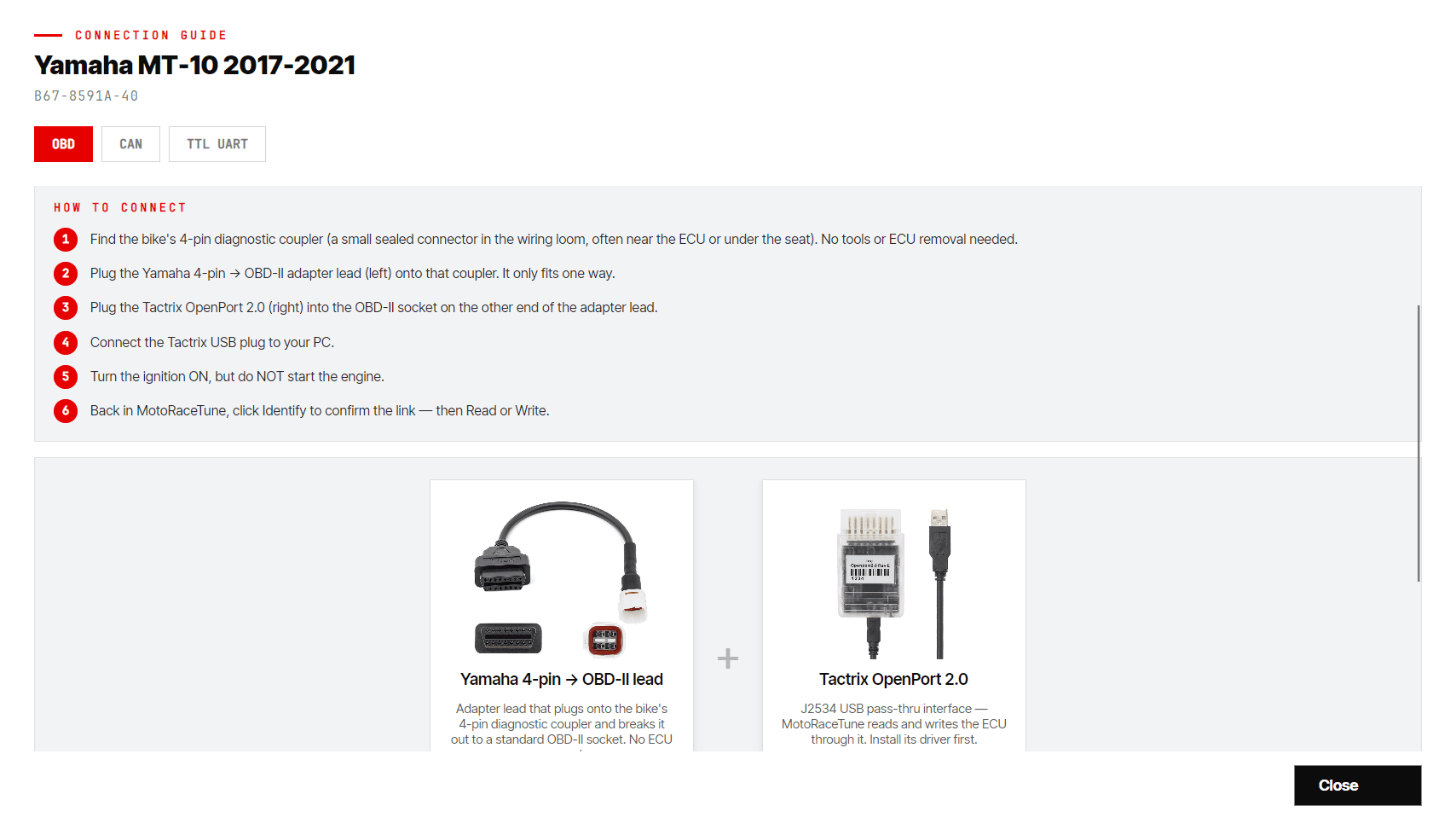
Identify your ECU
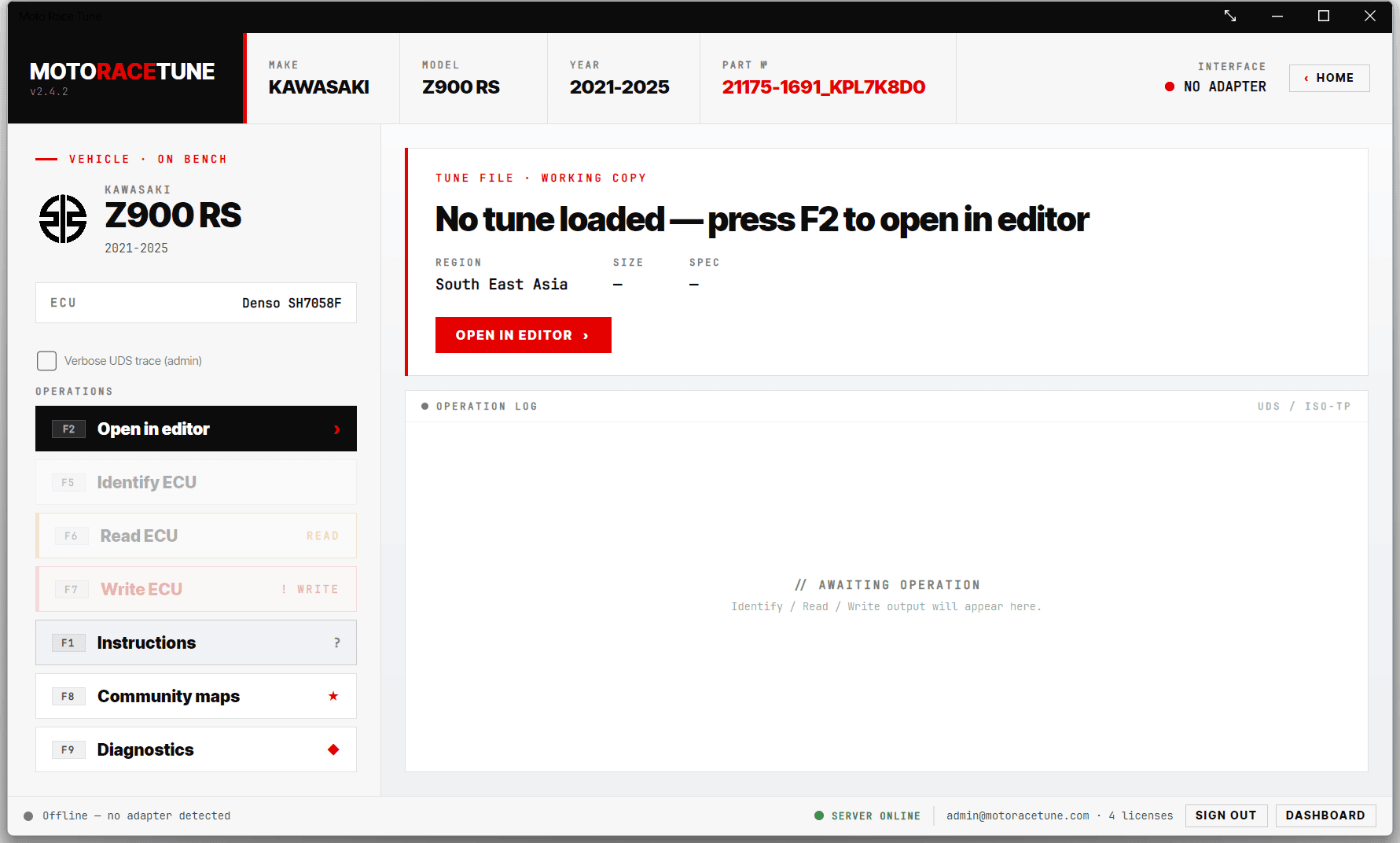
F5With the cable connected and the ignition on, press F5 — Identify ECU. The app talks to your bike and confirms its part number, so it knows exactly which tunes fit. Watch the OPERATION LOG on the right; if it spots the wrong variant it offers a one-click Switch to… link to put you on the correct one.
Choose a ready-made tune
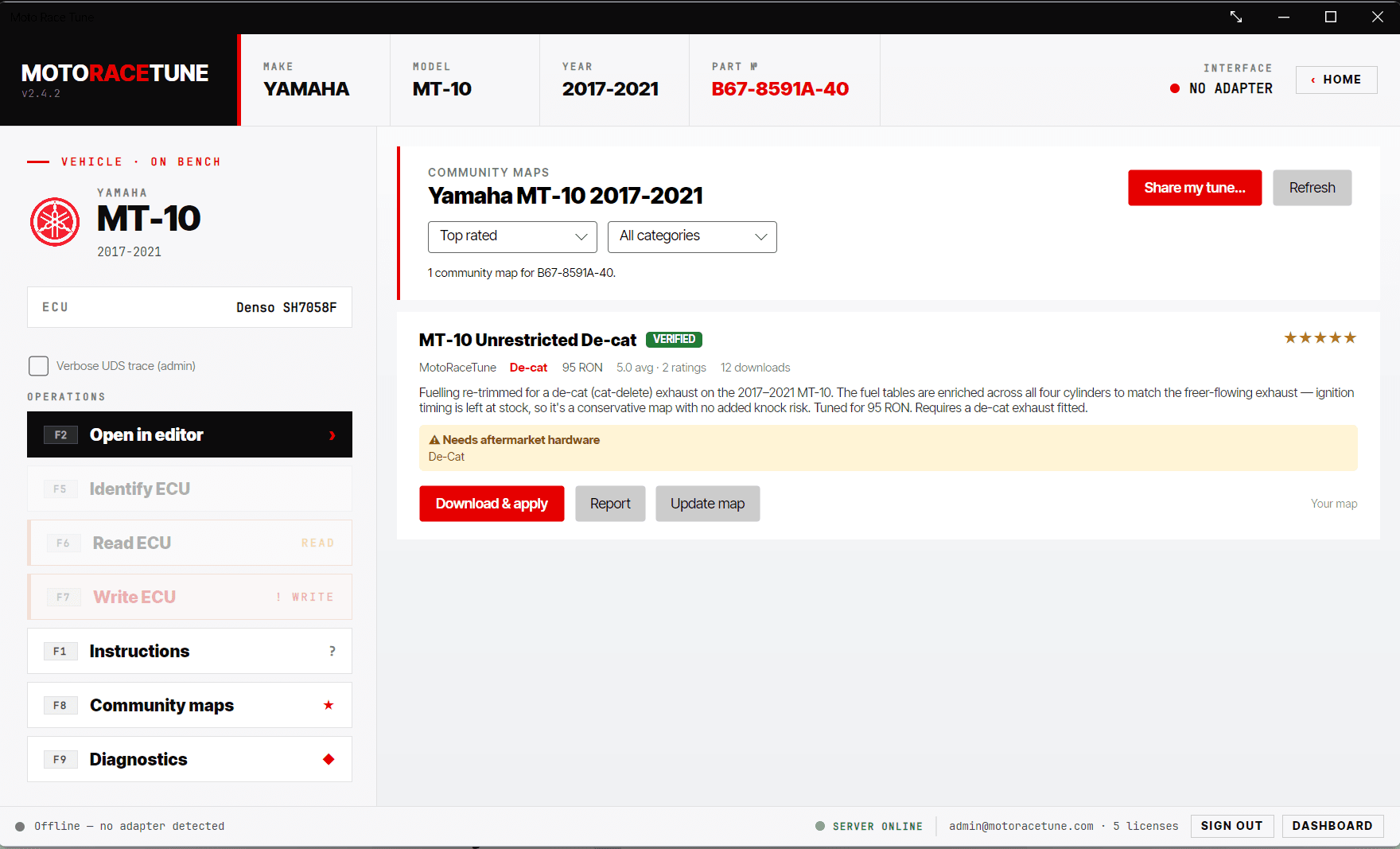
F8This is the easy part. Press F8 — Community maps. You’ll see tunes other riders have already built and tested for your exact bike. Each one says what it’s for in plain English — more midrange, smoother throttle, set up for a full exhaust, and so on — with a star rating and how many people have used it.
Look for the green VERIFIED badge — those are tunes we’ve checked ourselves. Read the notes (some need aftermarket parts, like a decat or full system), pick the one you like, and click Download & apply.
Write it to your bike
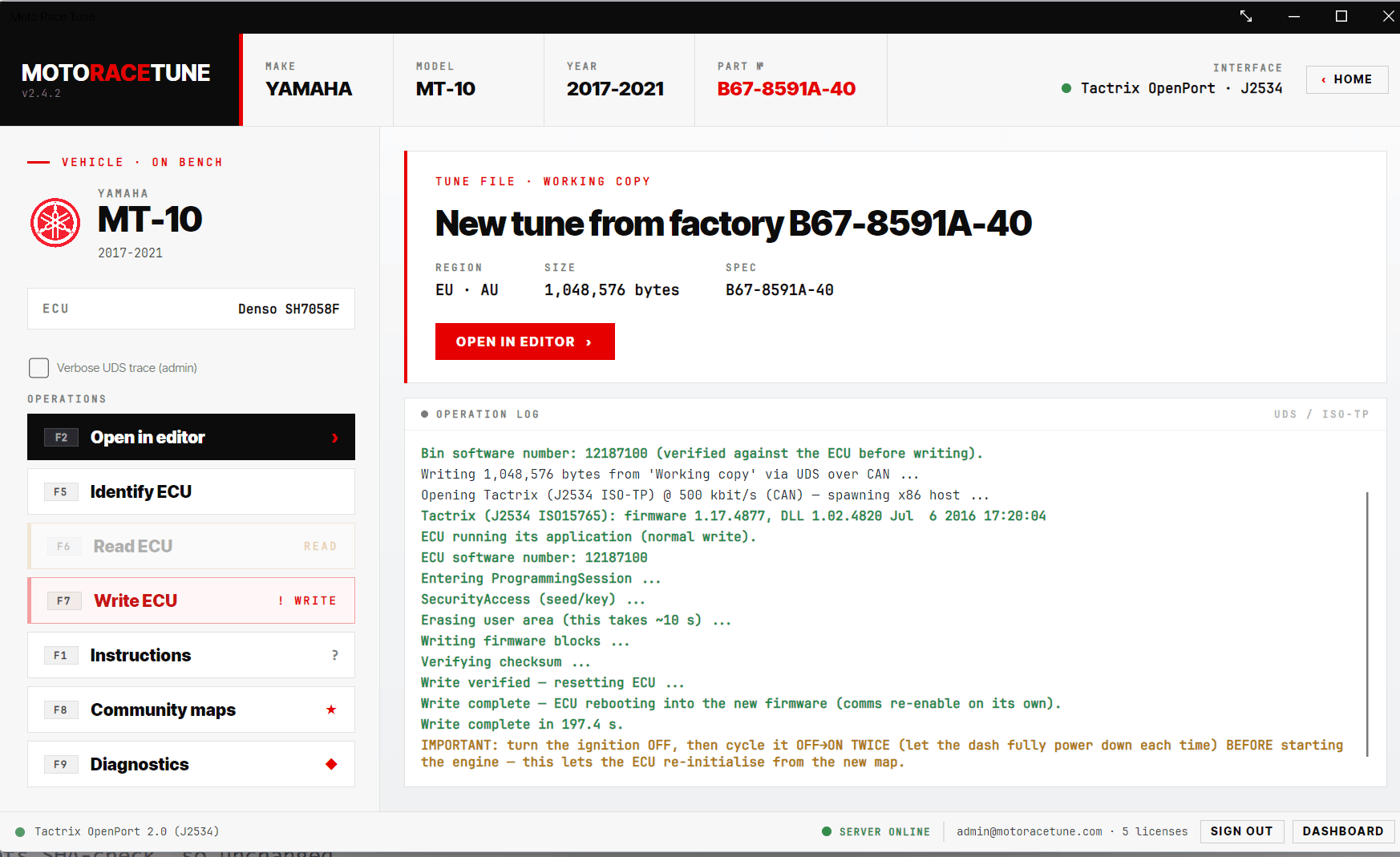
F7Press F7 — Write ECU. You’ll get a “Point of no return” confirmation: read it, check the bike and tune are right, then click Write now and follow the on-screen ignition steps. A couple of minutes later your MT-10 is running the new tune. 🎉
Edit the maps yourself
F2Happy with ready-made tunes? You can skip this. Want to get hands-on? Press F2 — Open in editor. The map tree on the left groups everything: Fuel maps, IAP, TPS and more, plus a Settings page.
Open a map, drag to select cells, then nudge them with + Add, − Subtract, = Set or Smooth. Switch between the table, a 3D surface and a heatmap to see exactly what you’re changing. When you’re happy, click SAVE and write it just like a community tune.
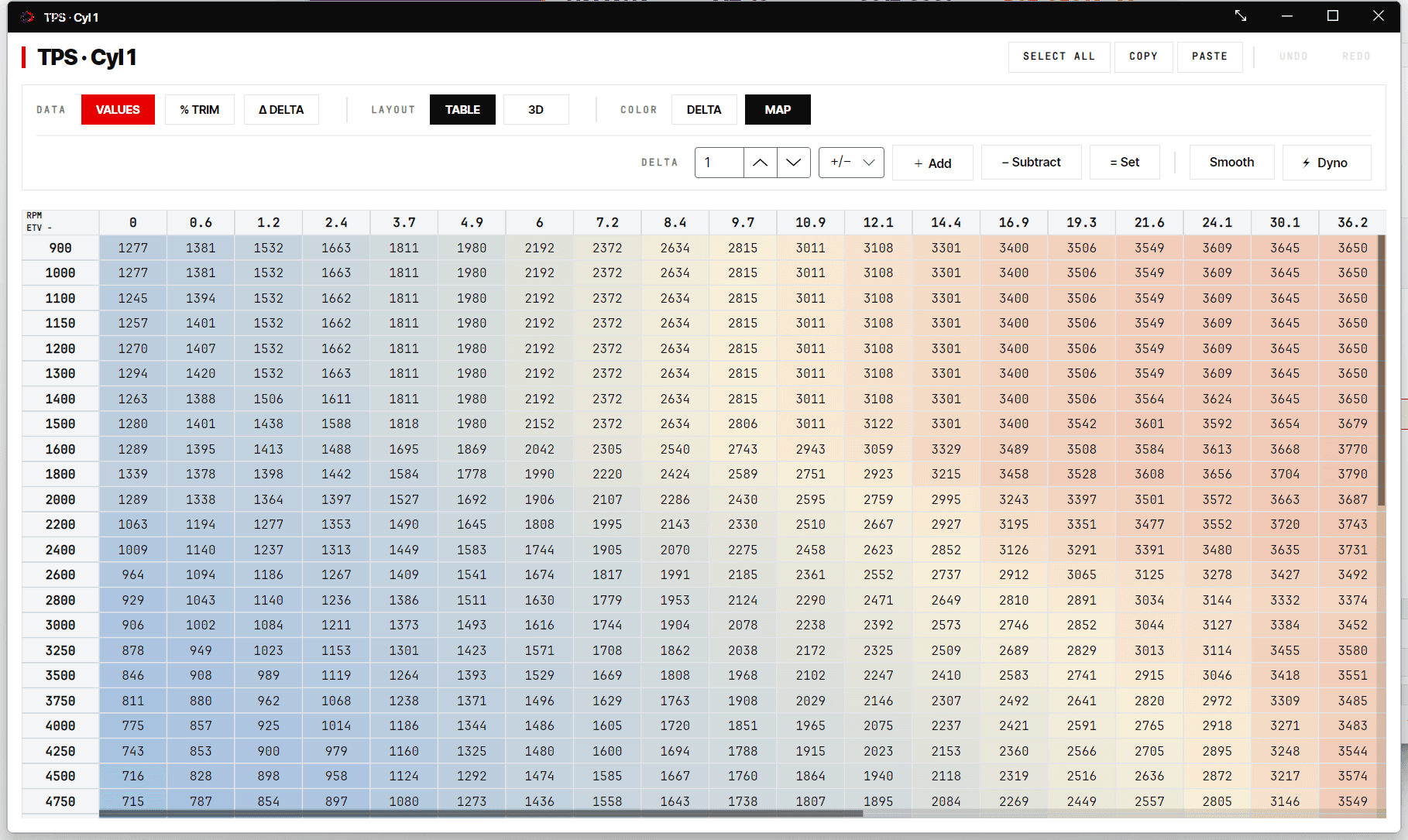
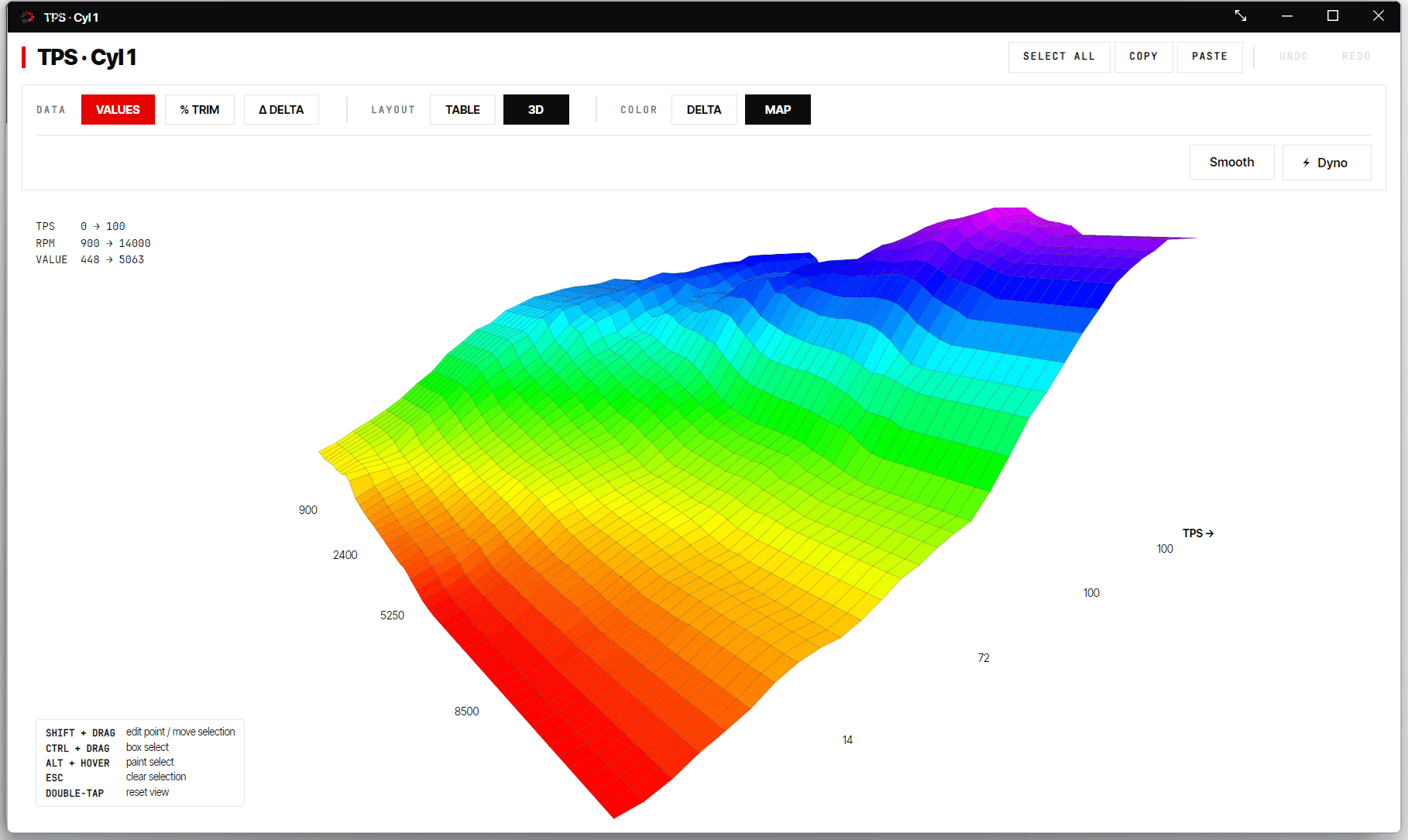
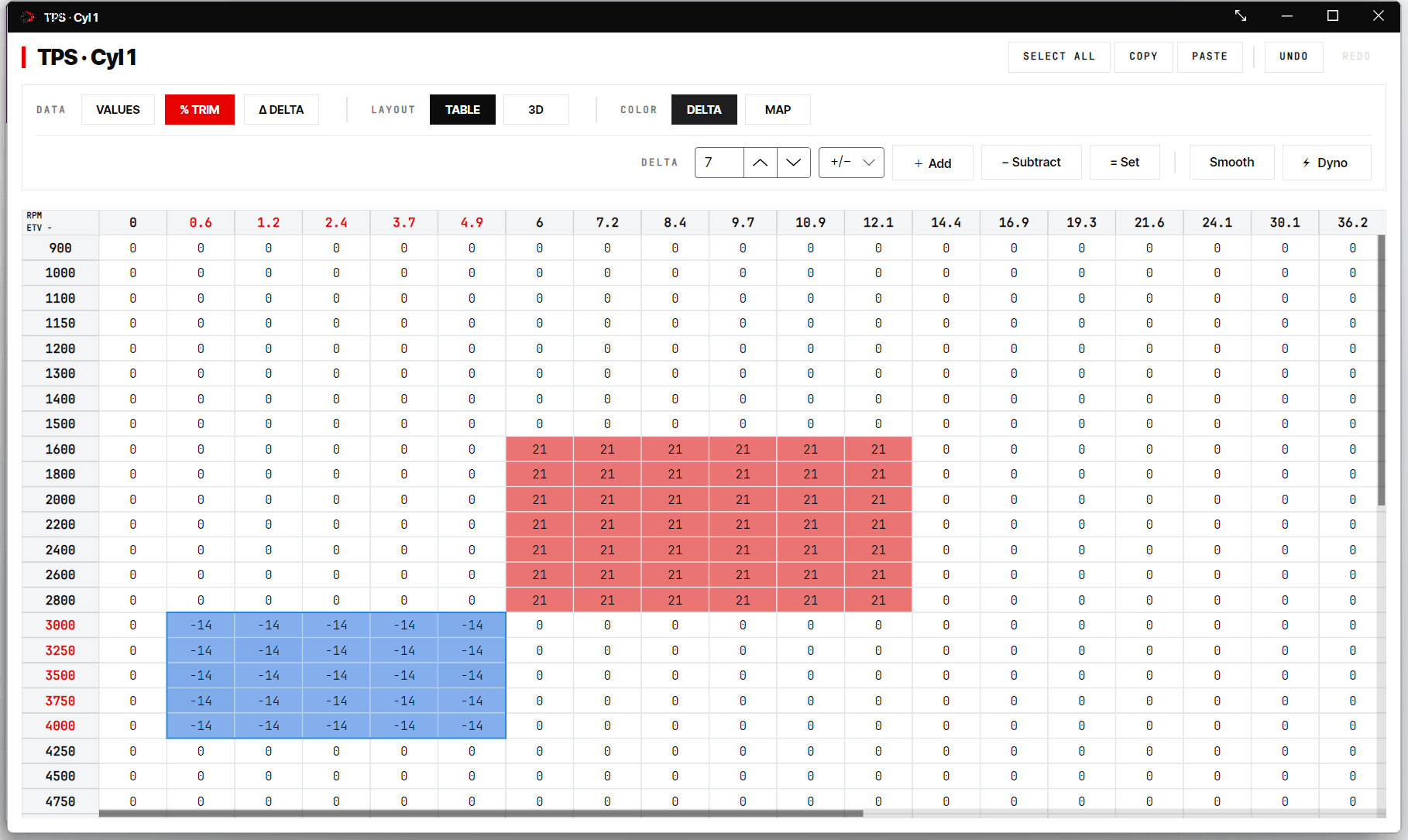
- Got a dyno sheet? The ⚡ Dyno button turns a Dynojet
.wp8run into an automatic fuel correction across all cylinders. - Settings covers the things that don’t live in a table — rev limiter, launch control (MT-10), fan thresholds and more.
Diagnostics
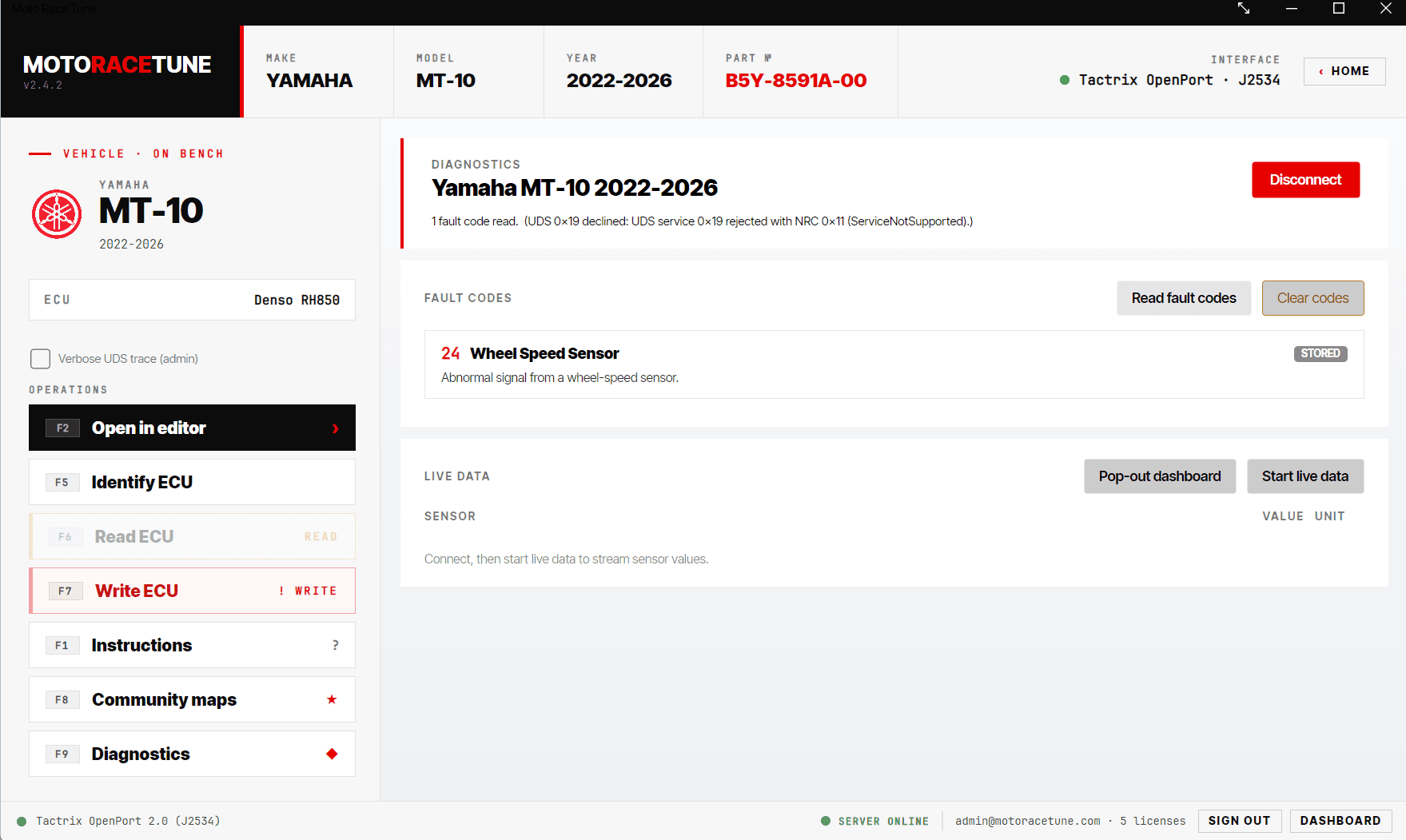
F9Press F9 — Diagnostics — to Read fault codes and Clear codes, and to stream live data (RPM, temperatures, throttle, gear and more) with a pop-out dashboard. No tuning knowledge needed — this is safe to use any time, just like a workshop scanner.
Stuck on a step? Message us from the contact page or post in the MT-10 Facebook group where you found this guide. It helps to include your bike’s year and part number and whatever the OPERATION LOG shows.
Free app · ready-made tunes · closed-course use only.